 Pa-ga-me
Split group expenses without signing up
Pa-ga-me is a free app to split the costs of a trip, a shared flat or a dinner with friends. No accounts, no downloads: create a group, share the link and the app works out who owes whom.
Free · No sign-up · Works offline
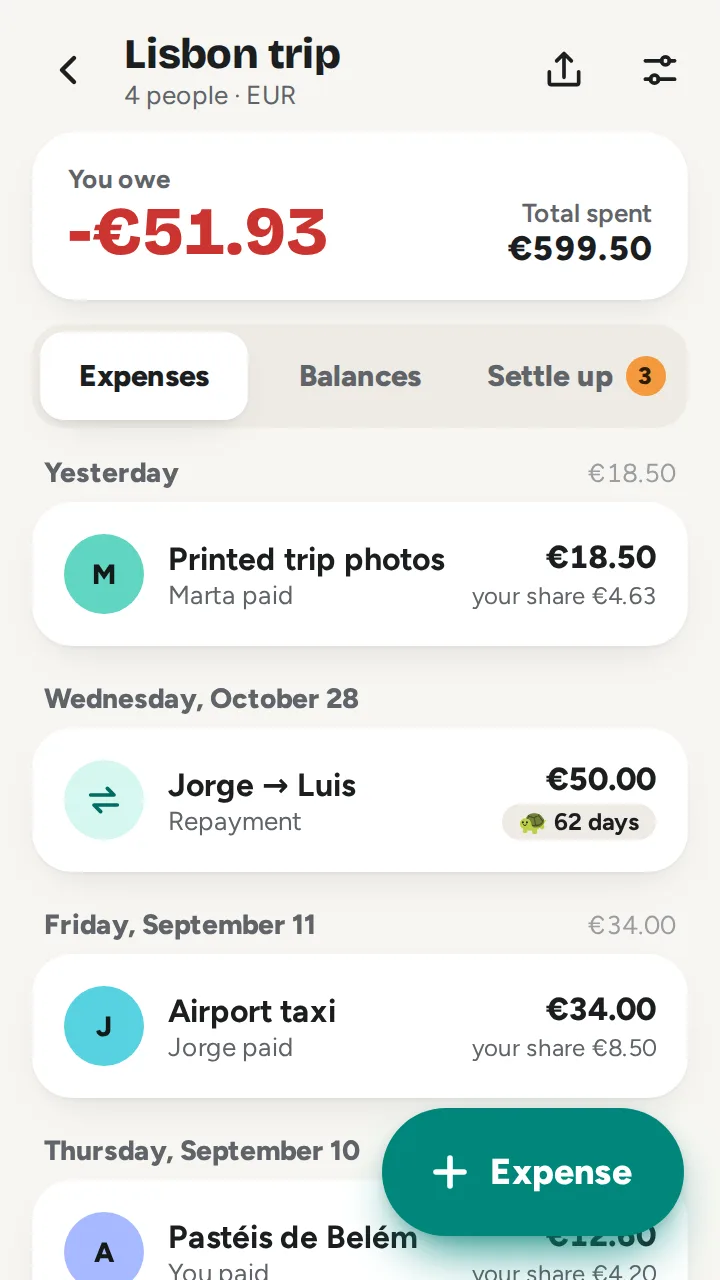
How it works
- Create a group with everyone’s name.
- Share the link: anyone who has it can see the group and add expenses.
- Add each expense and who paid it. Pa-ga-me works out the balances and the payments to settle up.
Everything you need, nothing you don’t
No sign-up
No accounts, no passwords and nothing to install. The group link is the key.
Flexible splits
Equally, by amounts or by shares, and only among the people involved.
Any currency
Add each expense in its own currency; it’s converted at the day’s rate.
Simplified settlement
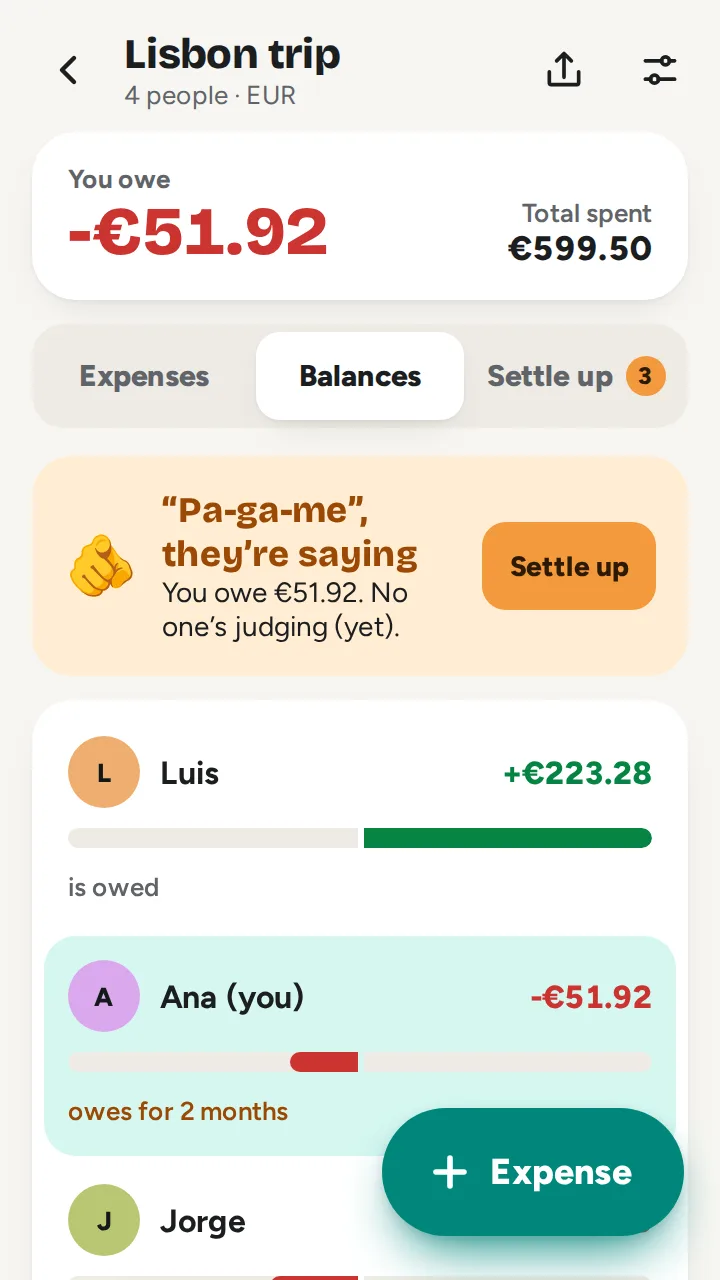
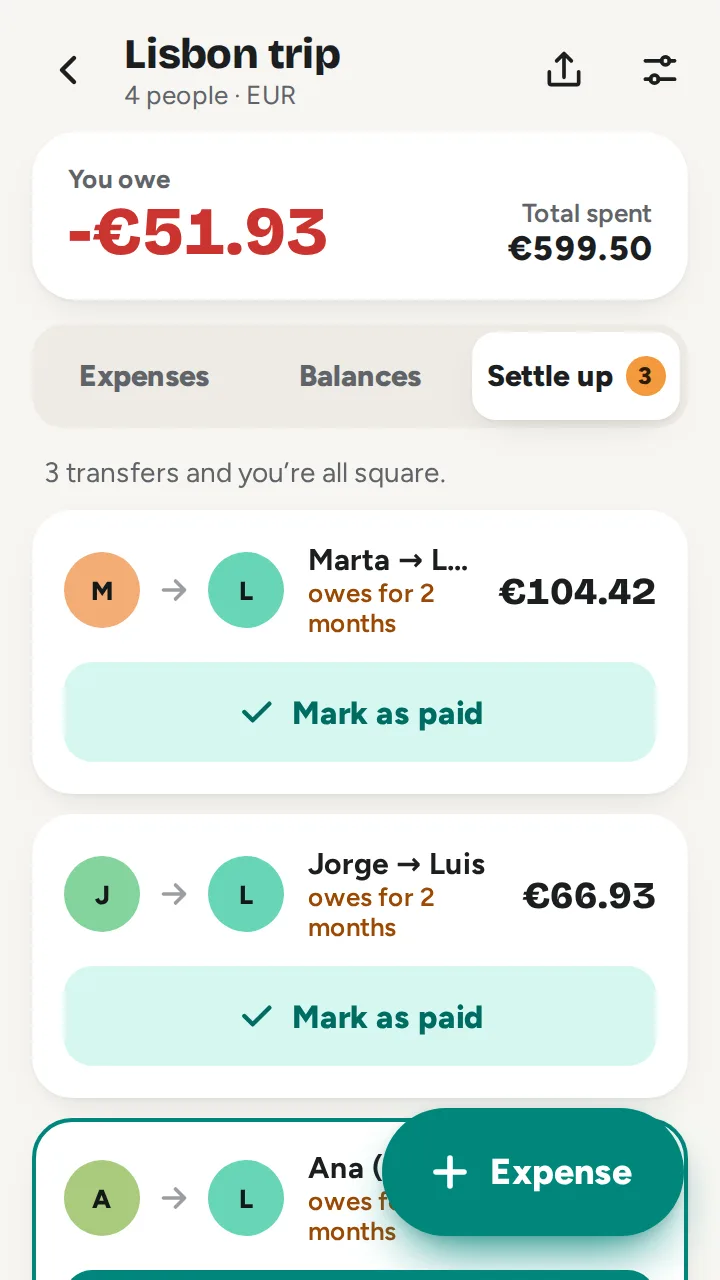
A few payments clear every debt, instead of everyone paying everyone.
Real time
What one person adds, the others see instantly, with notifications if you want.
Works like an app
Installs on your phone, works offline and is on Google Play.
Add expenses with AI
Give the receipt to ChatGPT, Claude or Gemini: it reads the expenses and, once you confirm, adds them to the group.
See it in action
For any shared expense
Every group has its own accounts. These are the most common:
- TripsAccommodation, car hire, fuel and dinners: everyone pays for something and nobody knows who owes what.
- Shared flatsElectricity, internet, shared shopping and cleaning supplies, month after month, no spreadsheets.
- Dinners and restaurantsOne pays the bill, another the drinks and someone skipped the wine. Everyone pays their part.
- Parties and eventsStag and hen dos, birthdays, group gifts and getaways: clear accounts among many.
- CouplesHousehold costs split 50/50 or by income, without keeping score in your head.
Tools and guides
Just want to do some quick maths or understand how splitting works? Start here:
On your phone too
Install Pa-ga-me from Google Play or add it to your home screen from the browser. Your groups are saved on the device and work offline.
Get it on Google PlayFrequently asked questions
Do I need to sign up?
No. Just create a group and share its link; nobody needs an account or a password.
Is it free?
Yes. Pa-ga-me is free: creating groups, adding expenses and settling up cost nothing.
Who can see my group?
Only people who have the group’s link. Groups are private and never appear in search engines.
Can I add expenses in another currency?
Yes. Each expense can be in another currency and is converted to the group’s currency at the day’s exchange rate.
Can I add expenses with AI?
Yes. In the group, the AI button opens ChatGPT, Claude or Gemini: give it a photo of the receipt, check the expenses it read and it adds them for you. The first time, you need to add the Pa-ga-me connector to your AI app; the app shows you how.
How does it work out who owes whom?
Pa-ga-me adds up what each person paid and owes, and suggests the payments needed to settle every debt with as few transfers as possible.
What happens to groups I no longer use?
Groups nobody opens for six months are deleted from the server, along with all their expenses.
Get started in under a minute
No accounts, no passwords: create the group, share the link, done.